
Ask any AI assistant how to use AI for marketing and you’ll get back the same list every time. Try ChatGPT. Build a content workflow. Automate your emails. Measure ROI. Comprehensive, useful-sounding, and the reason most B2B SaaS marketing managers we work with are reading every newsletter and shipping nothing. The problem isn’t AI. It’s that ‘do all these things’ isn’t a plan. It’s a list. The 90-day playbook below is the sequence.
Use AI for marketing in three sequenced phases. Weeks 1 to 4 are foundations: pick an assistant, set it up properly, audit your weekly tasks, and ship two small experiments. Weeks 5 to 8 are workflows: turn one-off prompts into standing workflows for the three highest-leverage tasks. Weeks 9 to 12 are the operating model: document the workflows as runbooks, measure time saved against a named output, and decide what stays human. Most marketers fail by trying to do all three phases in week one.
Our AI in Marketing: A B2B SaaS Marketer’s Field Guide covers the broader picture (six jobs, 16 use cases, the framework behind these phases). This post is the procedural companion.
Talk to ten marketing managers about AI and you’ll hear the same word: overwhelmed. Not stalled. Overwhelmed. The distinction matters: the reader isn’t stuck on a decision, they’re drowning in inputs.
Three failure modes show up across nearly every overwhelmed marketer we work with.
1) Tool-shopping without a workflow target. Week one is spent comparing ChatGPT, Claude, and three other tools that surfaced on LinkedIn. Decision criteria get invented mid-comparison (‘which is best for B2B?’, ‘which integrates with HubSpot?’). The tool eventually gets picked and a subscription bought. Week two starts without a task to run on the tool.
2) Reading without doing. The newsletters arrive faster than they can be filed. Every week brings four new takes, two case studies, and a podcast with the founder of an AI tool that hadn’t existed in June. Six weeks in, the manager knows more about AI in marketing than 90% of their peers and has shipped one half-written prompt.
3) Comprehensive-answer paralysis. This is the new one. The manager asks an AI assistant directly: ‘how should I use AI in my marketing role?’ The assistant produces a thorough list. Write content. Build a workflow. Automate email. Personalise landing pages. Score leads. Measure ROI. Correct and useless. Comprehensive isn’t sequenced. It’s just everything, in alphabetical order. The manager closes the tab and goes back to writing the campaign brief manually.
A counter-position worth naming before we go further. Nvidia’s Jensen Huang argued in early 2026 that companies shouldn’t force ROI thinking on AI work too early, comparing corporate experimentation to children pursuing hobbies. Experimentation needs room. Fair point, for a research team at a $1bn-plus infrastructure business with no pressure to ship. For a marketing manager at a 50-person B2B SaaS scale-up whose CEO is asking what AI is being done with the budget this quarter, the 90-day frame isn’t a rejection of experimentation. It’s the structure that lets you experiment without the CEO assuming you’re flailing.
Three calls to make on day one or two of week one, before any prompts get written.
Pick your primary AI assistant. Claude or ChatGPT. Both work. Get one subscription, not three. Switching costs are low; running parallel subscriptions splits your attention and your prompt library across two tools.
Decide your scope. What counts as ‘AI work’ inside your role? Writing only? Everything that touches the marketing function (writing, research, reporting, lead enrichment, competitive intelligence)? Scope creep starts here, not at the end of phase 2. Decide narrow first. Expanding later is easier than retreating.
Get a baseline. Roughly how many hours a week do you spend on writing, research, reporting, and admin? Order-of-magnitude estimates are fine. If you don’t capture this in week one, you can’t claim time saved later. The CFO will not accept ‘feels faster’ as evidence.
Five actions. Run them in order.
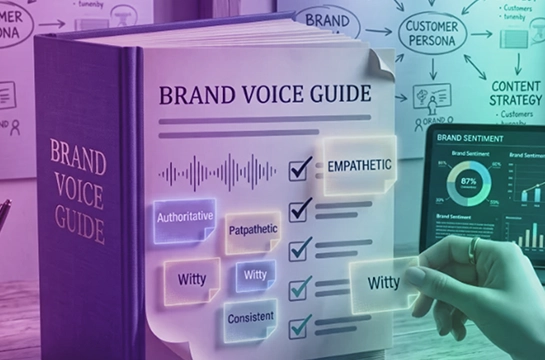
Set up the AI assistant properly. Write a brand voice document (300 to 500 words on how you write, with three examples). Write an ICP brief (who you sell to, what problems you solve, the language they use). Build a glossary of internal terms the assistant won’t know. Load all three into a Claude Project or ChatGPT Custom GPT. This is the single highest-leverage hour of the 90 days.
1) Set up the AI assistant properly. Write a brand voice document (300 to 500 words on how you write, with three examples). Write an ICP brief (who you sell to, what problems you solve, the language they use). Build a glossary of internal terms the assistant won’t know. Load all three into a Claude Project or ChatGPT Custom GPT. This is the single highest-leverage hour of the 90 days.
2) Build a first prompt library. Three to five prompts, saved and reused. Pick the tasks you do weekly. A blog post outline. A customer email follow-up. A weekly report summary. Save the prompt the moment it works once. Don’t try to perfect it; perfect it through reuse.
3) Audit your weekly tasks for AI candidates. The 80/20 test. Write a list of every recurring task. For each, ask: would the AI version save real time, and would the output be good enough? Most candidates fail the second test on the first attempt. That’s fine. You’re identifying experiments, not committing to deployments.
4) Run two small experiments. One writing, one research. Writing: draft a blog post outline or a follow-up email sequence. Research: an ICP enrichment task or a competitive landscape summary. Time both. Compare against your baseline.
5) Document what worked. One paragraph per experiment. What went well, what fell down, what you’d change. This document is the seed of your operating model in phase 3.
The conversation to have: with your manager or CEO, before week one ends. Frame it as ‘I’m running four weeks of structured experiments with our existing AI tooling. Here’s what I’m testing, here’s what I’ll report at week four.’ Pre-empt the question by naming the timeline.
The wall: getting precious with prompts. Three hours perfecting a prompt that should have shipped in twenty minutes. The trap underneath it is treating the prompt as the workflow. It isn’t. The prompt is a step. The workflow is the sequence of steps around it (input, prompt, output, edit, decision). Most week-one marketers invert that order and end up with elaborate prompts attached to no workflow.
The fix: ship messy. Run the prompt, take the output, see where it falls down, and refine then. Five rough cycles beat one perfect attempt.
Ready for phase 2: you’re using AI on at least one task daily without thinking about it.
Four actions.
1) Move from one-off prompts to standing workflows. A prompt is a single ask. A workflow is a repeatable sequence: input, prompts, intermediate outputs, edits, final deliverable. Set up Claude Projects or custom GPTs for each workflow you intend to run weekly.
2) Pick three workflows to systematise. Not seven. Not all sixteen from the pillar. Three. The ones that recur weekly and where the time saved is largest. AI in Marketing Examples: 10 Real B2B SaaS Workflows in Action covers the most common picks in detail with the prompts and outputs.
3) Bring one tool other than the assistant into the stack. Just one. Clay for enrichment, HubSpot Breeze for CRM-side AI, Make.com for automation. Whichever workflow needs it. Resist adding more tools until phase 3 begins.
4) Define what ‘done’ looks like for each workflow. A specific deliverable. ‘Blog post outline approved’ is not done. ‘Blog post outline approved with three SME quotes inserted by Friday’ is done. The vagueness of ‘done’ is where workflows quietly stop running.
The conversation to have: with your team, not your manager. Bring them into the workflows. Build with them, not in private. The teams that ran AI as one person’s project found it sat unused two months later when that person was on holiday.
The wall: workflow proliferation. Three workflows running well start to feel like five workflows running. Then seven. Then nobody is sure who owns the prompt library. Quality across the workflows becomes uneven. The political fallout (uneven outputs, no clear ownership) is more damaging than the time cost.
The fix: stop at three. Hold the line until phase 3. Three workflows running well is worth more than seven running half-built.
Ready for phase 3: at least three workflows are running weekly without you re-thinking them.
Four actions.
1) Document the workflows as runbooks. The handover test: could a new starter run this workflow from your notes alone? If the answer is ‘mostly’ or ‘with a bit of explanation’, it’s not a runbook yet. It’s documentation in your head.
2) Start measuring time saved and quality impact. Compare against the baseline you captured in week one. Time saved is the easy half. Quality impact is the half that matters: name one output that exists because of the AI workflows and wouldn’t otherwise (a campaign, a piece of research, a customer email sequence). The CEO trusts the named output more than the hours-saved figure.
3) Decide what stays human. Every B2B SaaS marketing team that’s been running AI for six months has a list of jobs that AI is bad at. Brand strategy. Sensitive customer conversations. Anything where taste is the variable. Write your version of that list.
4) Plan the next 90 days. Phase 3 isn’t the endpoint. It’s the new baseline. The next 90 days might be deeper workflows on the same three jobs, or careful expansion to a fourth and fifth.
The conversation to have: with the wider revenue org. Sales, customer success, product marketing. Wherever the marketing workflows have downstream effects. The teams reading your runbooks will sometimes adopt them. That’s the operating-model upgrade you’re really aiming for.
The wall: vanity ROI metrics. ‘We saved 200 hours’ on its own is the easy reportable, and the one nobody upstream of marketing actually trusts. IBM’s 2026 research found that only 29% of executives can confidently measure AI ROI while 79% report productivity gains. That gap is where most B2B SaaS marketing teams sit. The productivity gain is real. The ROI claim is a leap most CEOs won’t bridge for you.
The fix: report hours saved and one named output that wouldn’t have happened without the AI workflow. The pairing is what makes the report credible.
You’ve actually adopted AI when: you can describe your marketing workflow without naming a single tool.
Four things to skip in the first 90 days. None of these become permanent skips. They’re just not the right battles to fight in the foundational phase.
1) AI-generated images for anything other than throwaway social tiles. Sterile, slightly wet, twelve-fingered. The default Midjourney aesthetic doesn’t fit B2B SaaS brand work in 2026. Throwaway social tiles for a Tuesday LinkedIn post are fine. Real brand visual work, web hero imagery, and especially AI-generated team headshots aren’t. The headshot point is worth holding: an AI-generated team photo is brand reputation risk, not a time-saver.
2) AI agents for complex multi-step work. The error-cascade problem is real. When one step in an agent chain goes wrong, the error multiplies through the subsequent steps. By the end you have output that looks plausible and is based on something incorrect three steps back. Most B2B SaaS marketing teams aren’t ready to monitor that failure pattern in 2026. One exception: lead enrichment. It’s a single-step task, the failure mode is contained, and the workflow is widely proven. Use agents there. Hold off everywhere else.
3) Tool-shopping beyond your assistant plus one specialist. Two tools in phase 1 and 2. Add a third only if a phase 3 workflow specifically needs it. The third tool that ‘might be useful one day’ is the third tool that sits unused after the trial.
4) AI training courses that aren’t aimed specifically at your job. Not anti-course in general. The market has good courses. The point is fit. A B2B SaaS marketing manager doesn’t need a general ‘AI for business’ programme in phase 1; they need to ship a prompt and an experiment. If a course is built for your specific role and your specific situation, take it. If it’s a general overview, the time is better spent running the playbook above.
Q: How is AI used in marketing?
Q: How can I use AI in marketing without a technical background?
Q: How to use AI for digital marketing?
Q: How to use AI for social media marketing?
Q: Can marketing be done by AI?
Q: How long does it take to get value from AI in marketing?
If you’d rather not run Phase 1 alone (foundations is the highest-friction phase, and the one most marketers quit in), the Claude AI for Marketers Sprint inside SaaStrix is the structured version of those first four weeks. Same actions, worked examples, other B2B SaaS marketing managers running them at the same time. Join us in the SaaStrix AI Marketing Community for the sprint and the daily AI Labs content that becomes the ongoing input for Phases 2 and 3.
The framework behind these phases (six jobs, 16 use cases, the broader landscape) is in our AI in Marketing: A B2B SaaS Marketer’s Field Guide.



.svg)